Granteon MCP server
Rank open grants for a nonprofit from Claude Code, the ChatGPT desktop app, Cursor, VS Code, Claude Desktop or any other MCP client. The server has one tool, match_grants, which runs the same matching as the Grants page in the app and returns the best fits, each with why it fits and an eligibility checklist.
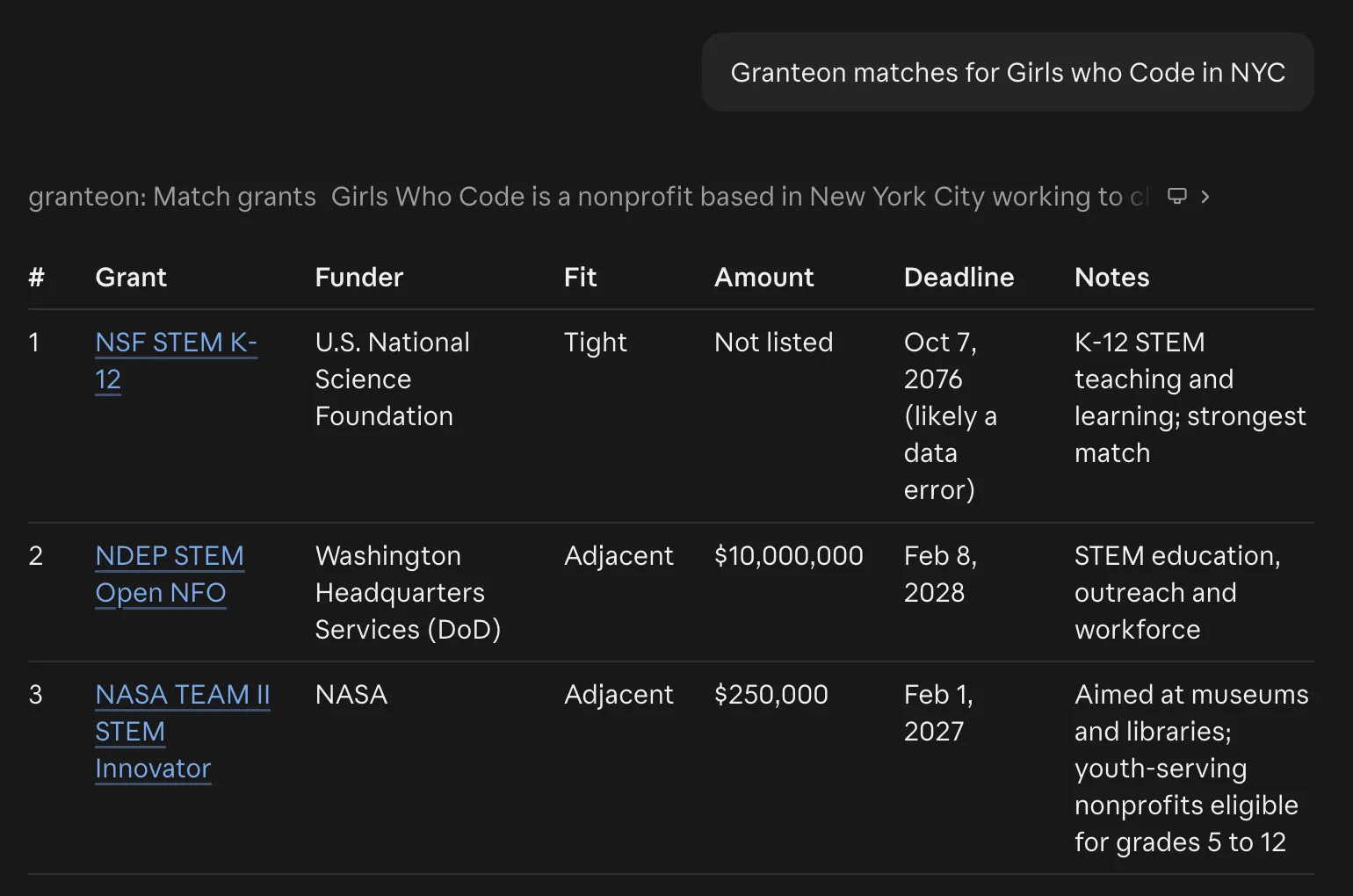
match_grants.Endpoint
- URL
https://granteon.ai/api/mcp- Transport
- Streamable HTTP
- Auth
Authorization: Bearer <your-key>
Keys are personal and given out on request. Email grantworkshop@googlegroups.com to ask for one. Keep your key out of shared config files and repositories, and tell us if it leaks so we can replace it.
Connect
Claude Code
claude mcp add --transport http granteon https://granteon.ai/api/mcp \
  --header "Authorization: Bearer <your-key>"
ChatGPT desktop app and Codex
The ChatGPT desktop app, the Codex CLI and the Codex IDE extension share one config file. Add this to ~/.codex/config.toml, then restart the app. The app's own MCP servers setting takes only a URL, so the key has to go in the file.
[mcp_servers.granteon]
url = "https://granteon.ai/api/mcp"
http_headers = { "Authorization" = "Bearer <your-key>" }
VS Code
Run MCP: Open User Configuration from the Command Palette and add the server. VS Code asks for your key the first time the server starts and stores it for you.
{
  "servers": {
    "granteon": {
      "type": "http",
      "url": "https://granteon.ai/api/mcp",
      "headers": {
        "Authorization": "Bearer ${input:granteon-key}"
      }
    }
  },
  "inputs": [
    {
      "type": "promptString",
      "id": "granteon-key",
      "description": "Granteon MCP key",
      "password": true
    }
  ]
}
Gemini CLI
gemini mcp add --scope user --transport http granteon https://granteon.ai/api/mcp \
  --header "Authorization: Bearer <your-key>"
Cursor and other clients that take a URL
Add the server to the client's MCP config, such as ~/.cursor/mcp.json:
{
  "mcpServers": {
    "granteon": {
      "url": "https://granteon.ai/api/mcp",
      "headers": {
        "Authorization": "Bearer <your-key>"
      }
    }
  }
}
Claude Desktop and other local-only clients
Connect through mcp-remote, which needs Node.js. In Claude Desktop, add this to claude_desktop_config.json and restart the app:
{
  "mcpServers": {
    "granteon": {
      "command": "npx",
      "args": [
        "-y",
        "mcp-remote",
        "https://granteon.ai/api/mcp",
        "--header",
        "Authorization:${AUTH_HEADER}"
      ],
      "env": {
        "AUTH_HEADER": "Bearer <your-key>"
      }
    }
  }
}
Connect from an app on your computer. Requests from web pages are refused, so browser-based clients can't connect. Neither can ChatGPT on the web or claude.ai's web connectors, which expect a sign-in this server doesn't offer.
The match_grants tool
Send what you know about the org. Only the description is required; an EIN or state makes the eligibility checks sharper. A ranking takes several seconds.
descriptionRequired- The org's mission and programs: who it serves, where and how. It is the main signal, so the more specific, the better the matches.
nameOptional- The org's name.
stateOptional- The two-letter US state the org works in, like WA. Grants open only in other states are set aside. It overrides the state from the EIN.
einOptional- The org's IRS EIN, like 14-2007220. It fills in the 501(c) type, state, revenue and NTEE group from ProPublica, so grants meant for other kinds of organizations move down the list.
limitOptional- How many grants to return, best fit first. Defaults to 10; at most 25.
What comes back
JSON with total, how many grants matched, and grants, the best of them in order. A deadline is a date or rolling, and amount is in dollars, left out when the funder names none. An example:
{
  "total": 25,
  "grants": [
    {
      "name": "Community Food Access Grant",
      "funder": "Example Community Foundation",
      "amount": 50000,
      "deadline": "2027-03-01",
      "fit": "tight",
      "why": "Funds rural food pantries, the org's core program.",
      "eligibility": [
        {
          "requirement": "501(c)(3) public charity",
          "status": "met",
          "note": "IRS records list a 501(c)(3)."
        },
        {
          "requirement": "Serves Washington residents",
          "status": "met",
          "note": "Based in WA."
        }
      ],
      "url": "https://example.org/grants/food-access"
    }
  ]
}tight- Fits your mission and profile directly.
adjacent- Fits a neighboring focus area or one part of your work.
stretch- A long shot worth a look: the match leans on an indirect angle.
Each eligibility item is one of the grant's deciding rules, checked against what you sent: met, unmet, or unknown when your details don't say.
Errors
401 unauthorized- The key is missing or not recognized.
403 forbidden_origin- The request came from a web page. Connect from an app instead.
- Tool error
- The server got the call but couldn't finish it, for example an EIN ProPublica doesn't know. The message says what happened and what to try.